Agentic Workforce
Building and Growing an Agentic Workforce
We build AI agents that work just like a person.
View the overviewPut AI to work
Why not hand your work to AI that works just like a person?
No need to master prompting or wait for staff to be trained: you can start handing work over right away.
Creating images and documents. Looking things up and answering. The next step is handing over the work itself and getting results. What matters is how you use AI and how you build it into the work.
Led by youLed by AI
Until now
Ask AI
Until now, people were the ones doing PC work and desk tasks.

Ask
Led by you

Answer
Led by AI

Open the screen
Led by you

Enter the data
Led by you

Send for approval
Led by you
From now on
AI does the work
From now on, AI runs the tasks people define — checking and approving the results is the human role.

Request
Led by you

Open the screen
Led by AI
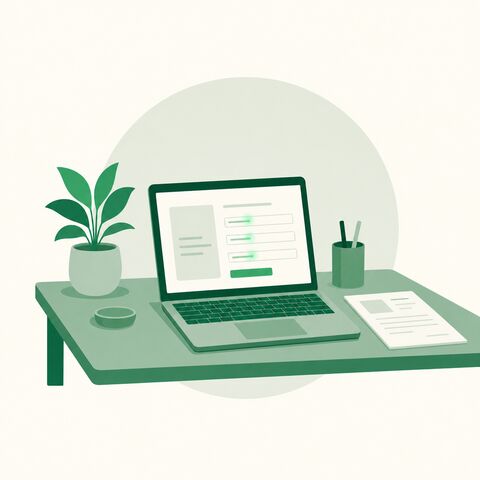
Enter the data
Led by AI

Send for approval
Led by AI

Check and approve
Led by you
Each item is simple, but high-volume work keeps consuming staff time and payroll. That is the work we move to AI first.
Six safeguards for using AI safely
Before handing work to AI, put your organisation, policies, rules and systems in order. That is the foundation for using AI with confidence, and using it well.
You can also run coding agents such as Claude Code or Codex with detailed rules and settings. We build AI into your existing work and systems so that it fits in naturally, and connect it to calendars, room and equipment booking, groups, tasks and customer records so the AI can find the grounds for each decision.




What if AI took on work like this?
Even in systems with no API and no CSV import or export, AI can work the screens just like a person and get the work done.
Working from your manuals and procedures, AI can now take on desk work. No need to rebuild your systems: hand the work over on the screens you already use.
All videos are animations that recreate the flow of work on demo screens. They are not screen recordings and not customer cases.
Month-end invoices and receipts
Month-end reading and retyping shrinks to one approval.
Turn this work into an AI agentMeeting scheduling
Finding a slot and writing the invite shrinks to one approval.
Turn this work into an AI agentSorting enquiries and drafting replies
Reading, triaging and drafting shrinks to a quick check.
Turn this work into an AI agentTransferring data between systems
Re-keying and cross-checking between systems shrinks to accounting's approval.
Turn this work into an AI agentHow it works
1. Choose the first task
Pick one task with fixed steps and high volume, and work out together the data and screens it uses and where a person approves.
2. Build the AI agent
Set up an account and permissions for the AI agent and the approval flow, and build an AI agent that runs that task.
3. Try it, then expand
Check results and records together on real work, adjust, and add more tasks step by step.
Platforms
Microsoft 365, ChatGPT, Gemini or Claude: we build AI agents together with you, on the platform you use.
Frequently asked questions
Are the videos real customer cases?
No. They are animations that recreate the flow of work on demo screens, not screen recordings. In a real engagement we build around your own screens and procedures.
How is internal information handled?
The AI gets its own environment and account, with permissions narrowed for each task. Sending and registering go through a person's approval, and every operation is recorded.
Which work should we start with?
Work with fixed steps and high volume is the easiest to start with. We begin by breaking down one task and finding what AI can take on.
How do costs and grants work?
A task we have implemented before starts at JPY 300,000, and turning a new task over to an AI agent starts at JPY 1,000,000 (excl. tax), depending on the number of connected services and workflows. Note that AI service contracts and usage fees are not included. Grants and subsidies may reduce what you pay yourself; eligibility varies, so talk to us first.
Cost
We take one task all the way to an AI agent that can handle it, as one package. Grants and subsidies may reduce your out-of-pocket cost; eligibility and requirements vary by programme and timing.
- One task with a proven pattern (invoices, scheduling, inquiries, copying, and similar)
- Setup in your environment and production test
- Small adjustments such as field names and output destinations
- 2 weeks of tuning after release
- Interviews and breaking down the task
- Designing, building and production-testing the agent
- Up to 3 connected services
- Scope: one workflow, from start to finish
- Up to 2 output formats
- 2 weeks of tuning after release
- Advice on getting started and choosing the tasks to hand over
- Regular reviews of operations and results, with improvement proposals
- Ongoing support for adoption inside your company
Connections or workflows beyond these limits are quoted to fit the work. AI service contracts and usage fees are not included; please contract for the AI services you need (ChatGPT, Claude, Microsoft Copilot, Gemini, or similar) on your side.